
Ship patches to players, not full downloads.
PatchKit hosts your builds, computes the difference between versions and delivers it through your own launcher on Windows, macOS and Linux. Upload a zip, press publish, done.
30 days, 150 GiB of transfer, no credit card. Cancel anytime.
- Full build
- 1,158 MB
- Players download
- 212 MB
- Delivered via
- Amazon CloudFront
- Launcher by
- tinyBuild
Studios shipping through PatchKit







One release, from your build machine to the player's disk.
Each step is automated. You touch the first one, your players see the last.
- Step 1
Upload
Zip the build and drop it in the web panel, or push it from CI with the command-line tools.
You - Step 2
Verify
Files are checked on several levels. Missing executables and broken archives are caught before publishing.
PatchKit - Step 3
Diff
A delta patch is computed against every previous version, so players only download what changed.
PatchKit - Step 4
Deliver
Content goes out through Amazon CloudFront edge locations, with 99.98% uptime.
PatchKit - Step 5
Play
The launcher notices the new version, patches in the background and repairs damaged files on demand.
Your players
A launcher that looks like your studio, not like ours.
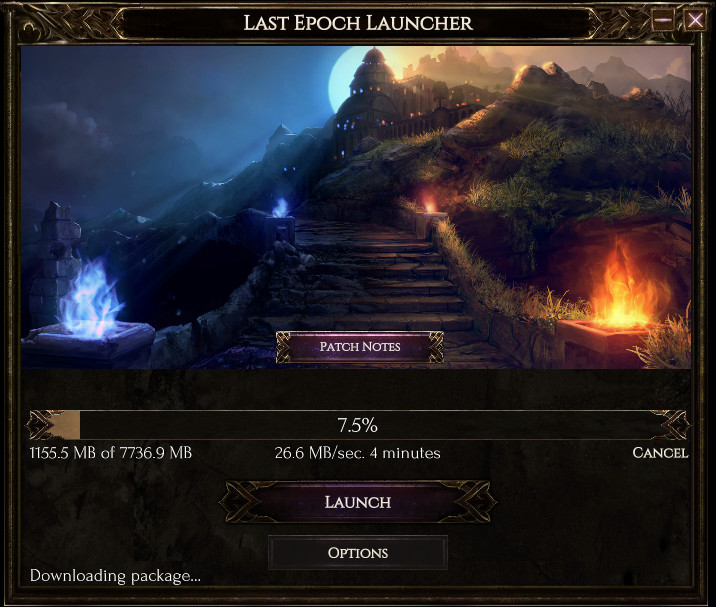
Built on the Chromium engine, the launcher is a web page you control. Any HTML, CSS and JavaScript you write becomes the player's first screen.
- Windows, macOS and Linux from one project
- News feed, changelog and patch notes built in
- Sign-in with Google, Facebook, GitHub, Web3 wallets or your own accounts
- License keys and DRM when you need them
Publish from the browser or from your pipeline.
No desktop tools required to get a game online. Create a version, attach the zip, publish. When the team outgrows drag-and-drop, the command-line tools take over and plug into Jenkins, GitHub Actions or any CI you already run.
- Faster uploads than the web form for large builds
- Channels for stable, beta and internal builds
- Account collaborators with separate permissions
- API access for everything the panel can do
Or script it and never open the panel again.
One command uploads, verifies, diffs and publishes. The same flags work on a developer's laptop and in a build agent.
# release.yml, last job
$ patchkit-tools make-version \
    --secret $PK_APP_SECRET \
    --label "0.8.6.0" \
    --changelog-file CHANGELOG.md \
    --files ./build/win64 \
    --publish

Uploading      cartel_tycoon_win64.zip   1,158 MB
Verifying      executables, archives      ok
Diffing        against 0.8.5.768          212 MB delta
Publishing     channel: main              live
What studios say after launch
“We came to Patchkit with a unique challenge – building a game launcher that could also be used to set up and manage our custom hardware system. Despite the short timeframe, they delivered an excellent product. While the project scope expanded due to the complexity of integrating our system, they adapted well and worked hard to get it done. We particularly appreciated their ability to take the challenges in stride and respond quickly to get us to a successful launch.”
Martin TweedieCTO, Quell
“As a big Unity development agency, we expect reliability, and with PatchKit the best thing is that now we never had any breaks in the distribution of our games. When we do strike a problem, their support team is always there and comes with the solution almost instantly!”
Bartek NowakowskiBoard Member, The Knights of Unity
“PatchKit has been an incredible partner for Rec Room. Their team is highly invested in our success with prompt communications and willingness to help with custom implementations. With PatchKit, we know we're getting reliability, great support, and real value.”
Lucian HardnerRelease Manager, Rec Room
Try it on a real build this week.
Sign up, upload your current version, and hand a launcher link to one tester. You can have a working update flow the same afternoon.
Included in the 30-day trial
- Data transfer 150 GiB
- Launcher Builder included
- Platforms Windows, macOS, Linux
- Sales commission 0%
- Credit card not required