
A game launcher your players recognize as yours.
PatchKit's launcher is a Chromium window you design. It installs the game, applies delta patches in the background, signs players in and shows your news, on Windows, macOS and Linux, from one project.
Why studios build their own launcher
A launcher is the one screen every player opens before every session. Owning it changes what you can do with your community and your revenue.
- Your brand
- News, updates and community content in one place players see every day, in your look and voice.
- Sell without a middleman
- A storefront inside the launcher. Sell the game, expansions and items through PayPal or Stripe, with no revenue share to PatchKit.
- Sign-in you control
- OAuth2, Web3 wallets or your own accounts. Players are onboarded once and stay signed in.
- Updates players barely notice
- Delta patches deliver only what changed. A multi-gigabyte game becomes a few hundred megabytes on patch day.
- Insight into who plays
- Built-in analytics on installs, launches and updates.
- One hub for many games
- Turn the launcher into a library. Manage several titles from one window and cross-promote inside your own ecosystem.

What the launcher does out of the box
- Windows
- One project, three platforms. The same design and behavior everywhere.
- Any web content
- Chromium renders your HTML, video and interactive pages inside the window.
- Payments built in
- PayPal and Stripe integrations with a small amount of configuration.
- Steam and Epic Games Store
- Connect with Steam and the Epic Games Store so players get one consistent experience.
- Delta updates and repair
- Only changed bytes are downloaded. Damaged installs repair themselves without a full reinstall.
- Localisation
- Ship the launcher interface in as many languages as the game.

Change everything with the SDK
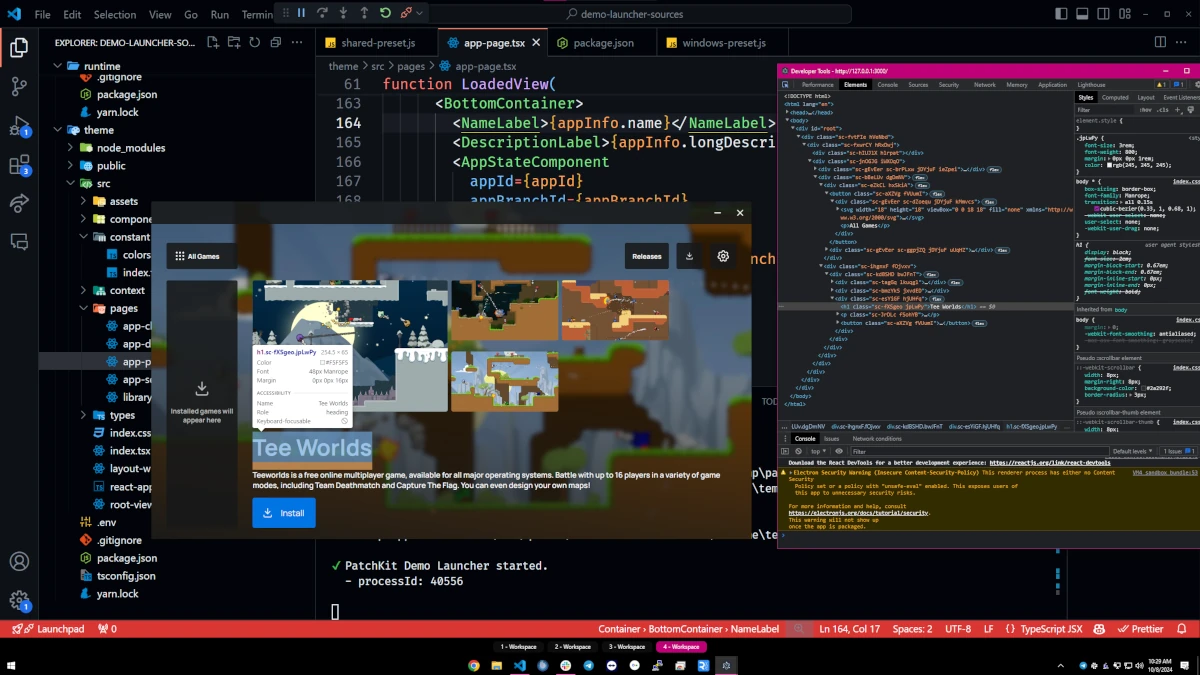
The launcher is an Electron application. With the SDK you work in HTML, CSS and JavaScript to change layout, add screens or replace the whole interface, while installation, patching and accounts keep working underneath.
Or change the look without code
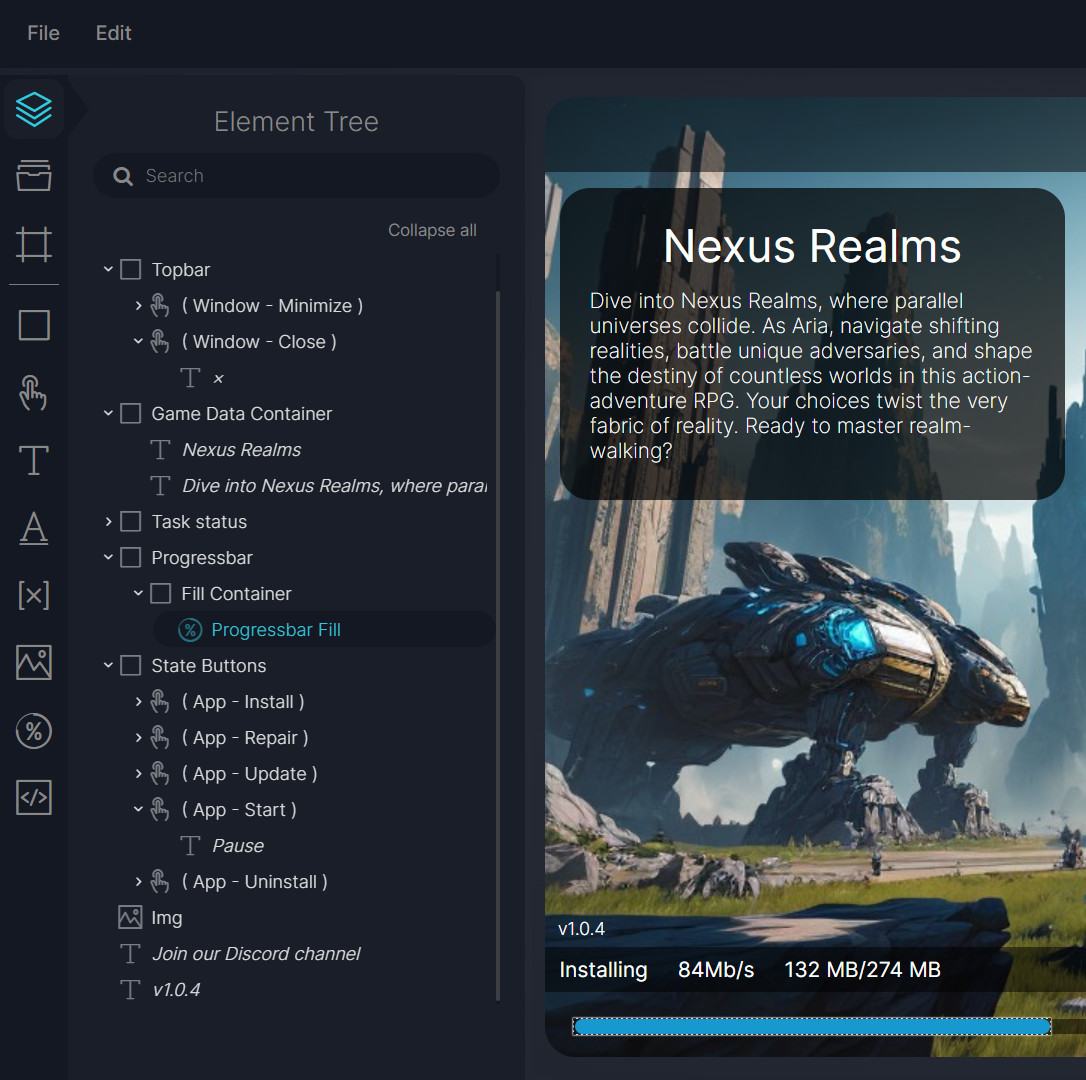
The Visual Launcher Builder edits colors, fonts, images and modules in the browser and shows the launcher update as you go. Enough for most studios, and a starting point for the ones that later move to the SDK.
Questions studios ask before they start
Can I use my own authentication?
Yes. Popular providers and custom systems both integrate, and the launcher only launches the game once your service says so.
What does white-label mean here?
No PatchKit branding anywhere in the launcher. Players see your name, your design and your certificate.
Are there limits to customization?
No. Look, behavior and even file operations are under your control through the SDK.
How does the launcher itself update?
Through Electron’s self-update. Players get the new launcher without doing anything.
Can I build a multi-game launcher like Steam or Battle.net?
Yes, with the Multilauncher option. One launcher, a library of titles, your storefront.
How do delta updates work?
PatchKit compares the new build with every earlier version and generates patches. The launcher downloads only the patch that matches the player’s installed version.
Read next
Put your game behind your own launcher this week.
Upload the build you already have, pick a theme in the builder, and send one tester the link.
Included in the 30-day trial
- Data transfer 150 GiB
- Launcher Builder included
- Platforms Windows, macOS, Linux
- Credit card not required